Tuesday, February 12, 2013

CONSTRUCTION- Extended- Foley Sounds in detail

Here I have looked at the two minute edit of our thriller opening and  I have wrote down the sounds in chronological order and have said how long each sound is on for and the time it is on, on the clip. For example on a two,minute long video I have the sound of footsteps on

This is a photo of me noting  down the sounds in chronological order from our two minute edit.

Media

PREPARATION SCENE
Phone vibrates on table ringtone 2 seconds 0.1-0.2
Phone hitting desk 0.5 seconds 0.9
Cupboard opening 1 second 0.11
Zipping up jacket 1.5-2 seconds 0.14-0.16
House Door closing 0.5 seconds 0.27

CAR SCENE
Pressing on car key 0.5 seconds 0.28
Car mini sound when car is unlocking 1 second 0.29
Car door opening 1 second 0.30-0.31
Exhaust pipe 1 second 0.34
Car accelerating forward 1.5 seconds 0.35
Inside car noise of car driving background noise 0.36-0.37
Noise of handbrake 1 second 0.41
Cars and bike slowing at traffic lights 2second 0.42-0.435
Car engine slowing at brick wall 1 second 0.44

LONDON SCENE
Train across the bridge 1.5-2 seconds 0.47-0.49
Walking down stairs into tube 2 seconds 0.50-0.52
Walking down more stairs 0.53-0.54
Train underground 0.56-0.57
Footsteps 1.03-1.04
Escalator sound 1.04-1.05
Footsteps 1.07 -1.12
Background noise -cars,nature 1.13-1.175
Footsteps 1.19-1.20-1.2
Background noise- people and cars 1.24-1.26,
Background noise -cars 1.27-1.30

PORSCHE GARAGE-OFFICE
 Footsteps -1.31-1.33
Footsteps 1.35-1.37
Impact of coat on chair 1.41
Footsteps on carpet 1.415-1.43
Sitting on chair 1.45
Footsteps on carpet 1.59-2.02
Footsteps on carpet 2.08

Creating Titles : 3D Tracking

One of the final tasks of the edit was to create the titles, we decided to use Adobe After Effects. 

To start off I went through our final 2 minutes rough cut to find the clips that titles could be applied to (keeping in mind some of the pan shots were done primarily for motion tracking). Once happy with the clip I exported it from final cut pro into After Effects.


Once the clip was in After Effects, I created a new composition and started the 3D Camera Track tool and left it to Analyse the clip, depending on the complexity of the camera work would reflect the time needed.

I was then presented with all trackable points, then it was just a case of finding the right one and applying a text layer to it.

Once the text was placed I then edited its dimensions and made it look realistic with the 3D space tools

Then to add depth I added a drop shadow.

Once happy with the text and shadow I just played around with positioning until I was finally happy with my finished title.

3D Text For Movie Title

The Motion Tracking and titling of our opening is nearly complete but to make the movie title stand out more we decide to make 'Motive' 3D with a chrome Gloss Effects.


I first modeled the text in Cinema 4D


I then added material effects to the text to give it a chrome glossy look.


Finally I added an array of lights in various positions to give the text depth and the ultimate 3D look.

I then Rendered out into Photoshop for final touching up.

Once I was happy with the text, I then dropped it into After Effects to create the final title. I added various flares and pre-keyed optical flares, once timed and tracked I was able to use them as a transition into the text.


Thursday, February 7, 2013

2 Minute Cut

Here is out 2 minute cut of 'Motive', we are very happy with the outcome and are now working on Sound, Foley and Titles.


Update After Filming

Deciding and organising segments of the editing that we as a group can do indivudally.
Alex- Titles- animation
Nicole- Foley Sounds- time segments for each sound.
Ellie- sound track and edititng onto garage band then onto film.

Thursday, January 31, 2013

CONSTRUCTION- Foley Sounds

We have each  done a individual edit. I have looked through the video considering that a lot of the sound will be taken out , as it will have put out and  then be edited in to make it sound clearer louder and more professional. This would be by adding the foley sounds in. this is a list of some of the foley sounds that we will edit into our final group edit.

-Gun shot x2
-Cars moving on the road.
-Finger pressing on car key button- clicking noise.
-Phone ringtone- one from iphone- the assassin would have a basic ringtone as he wants to be portrayed as serious and professional otherwise it would kill the tension.
-Doors closing
- Trains Moving
- TV noise flicking through channels.
- People speaking - background noise
- Assassin voice
- victims voice
- Assassins sons voice
- Rucksack Zipping up
- Zipping up the coat.
-Clatter of guns going into rucksack.
- Escalators the noise.
- Footsteps- on carpet and on a harder floor Eg- concrete.
- Hand brake
- the revs on the car
- the exhaust
-Gears/ throttle- accelerating.
- Cars moving across the road- friction
- Clicking on the laptop
- keyboard
- Camera clicking when capturing a image.
- Chair creaking when Victims sits into it.
- Putting phone onto desk.
- a Door opening/closing
- Doors automatically opening.


Tuesday, January 29, 2013

Testing the ideas of shots and angles on one of our main locations in canary wholf an in porshe garage -surrey.


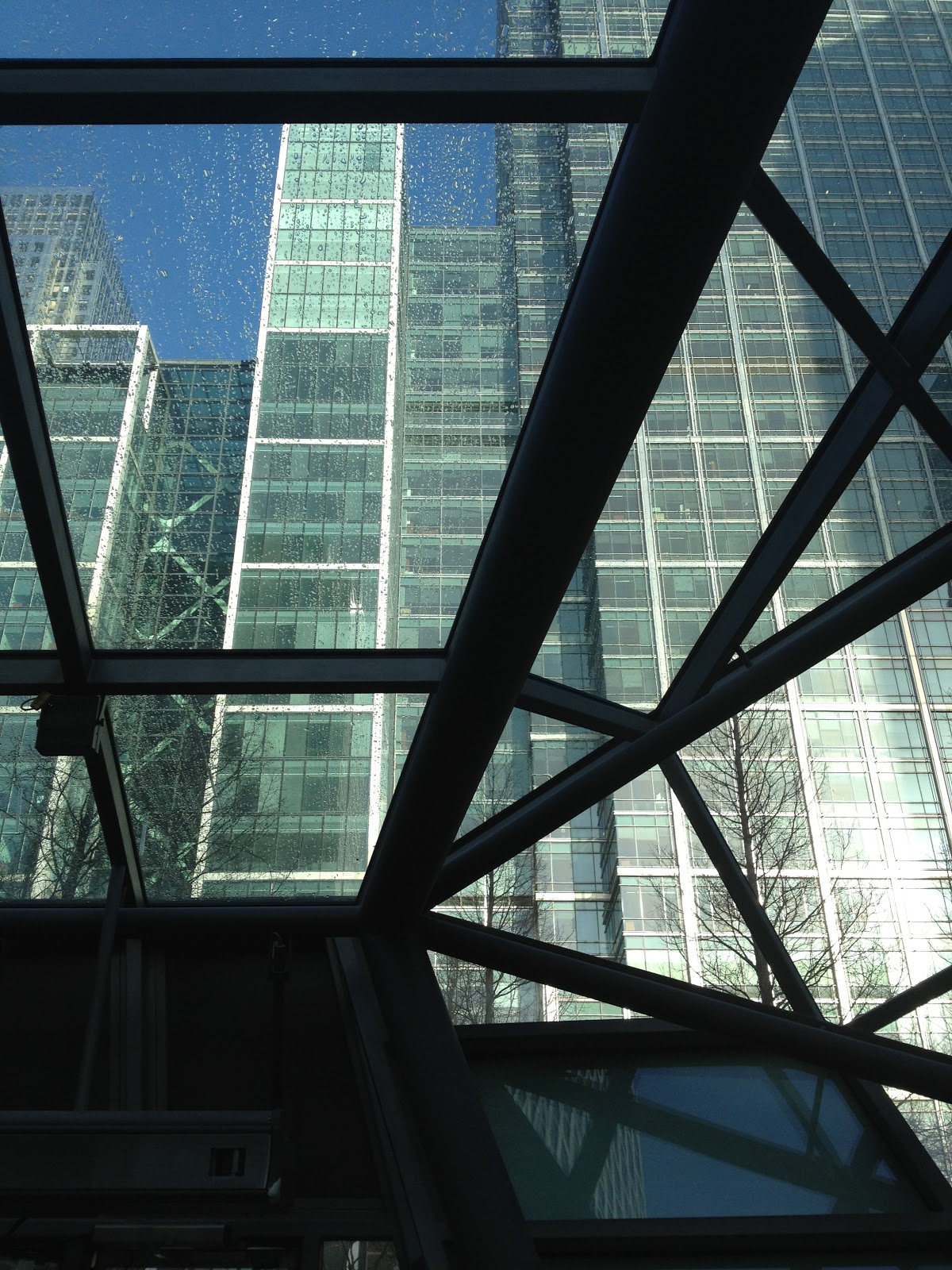
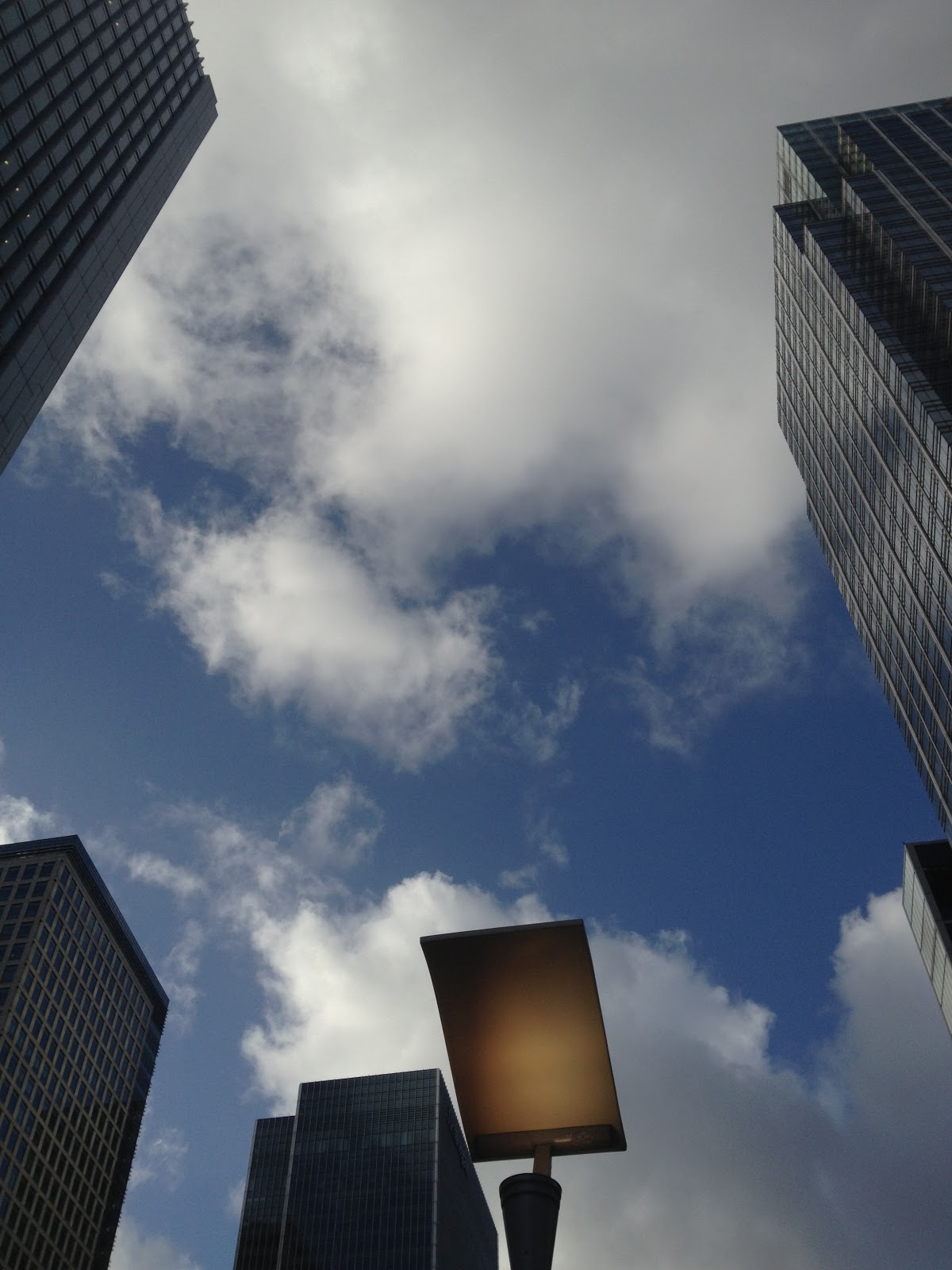
I took some photos in London to ensure that we had correct test shots. This was due to Alex and Ellie going to London to get test shots on the previous Friday when i was unable to attend. As a result of this i took my own shots of london at different angles to see what effect they would have on the thriller opening and how they link to a steretypical thriller. I done this to allow myself to be prepeared for shooting and to ensure i knew where we are going to be shooting.

This image is a low angle shot- I took this image to make canary wholf in London- ( one of our main shooting locations) appear powerful and intimidating. The low angle shot does this as it makes the building look even taller. This could be done when filming to show the location to be powerful, intreaging and easily relatable to the location of a typcial thriller opening.


I toook this image of canary wholf- interesting layout- geometric- interesting compostion would look effective on camera.


landscape image of canary wholf- appears powerful - dominating ,builds supsense and mystery- cannot see whats insdie the glass buildings.


interesting layout and compostiion
I took this shot in Surrey in the porsche garage. This mid shot would show the location in detail so that the audicne would know where this scene is and why it may possibly be set here. Antagonist works in Porshe company- expensive - buisness- typical antagonsit in Thriller.


I used my iphone 4s to take this image. I took this photo- which is called a panorama shot/. This allows me to take a image of canary wholf by walking around with the camera. This idea i thought could be used to show what a pannign shot of this image could look like. From this image it shows that a pan of canray wholf would eb good as the layout of my panorama image is interesting,effective and articulate. This panning shot would be effective as it allows hte audsicne ot get a clear shot of the location and most interestingly the surrounding area of the loaction. This alllows the audicne tofeel more involved with the thriller opening as it will be enitcing them and is involving them in the film, through the use of allowing them the knowledge of knwoing where the film is set.
I took this photo- which is called a panorama shot/. This allows me to take a image of canary wholf by walking around with the camera. This idea i thought could be used to show what a pannign shot of this image could look like. From this image it shows that a pan of canray wholf would eb good as the layout of my panorama image is interesting,effective and articulate.